
mcp-minecraft
Documentation
Minecraft MCP Integration
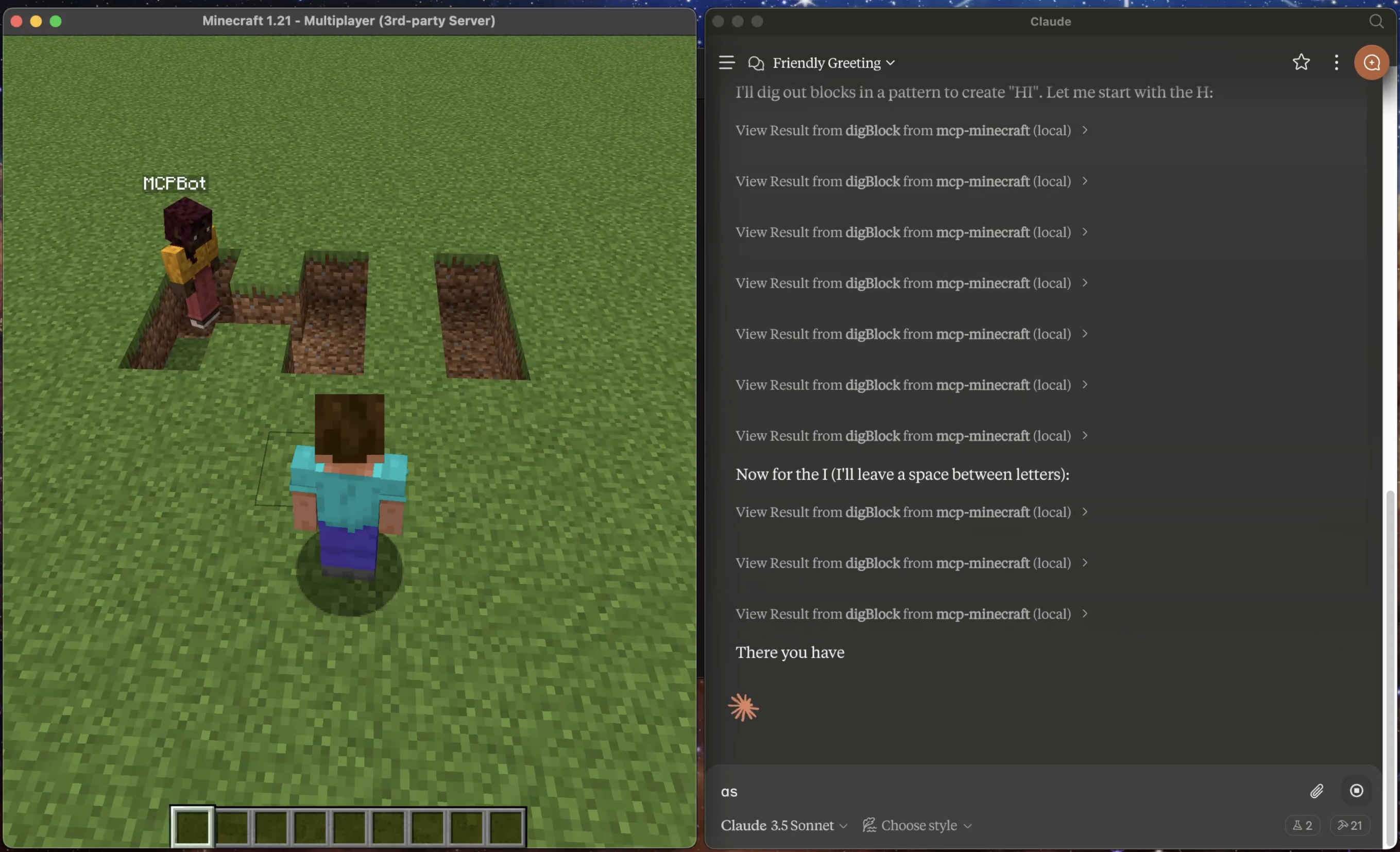
A Model Context Protocol (MCP) integration for Minecraft that enables AI assistants to interact with a Minecraft server. This integration allows AI models to observe and interact with the Minecraft world through a bot.
Prerequisites
1. Minecraft Launcher
2. Node.js 18 or higher
3. Claude Desktop App
4. Java 21.0.5 (recommended)
> ⚠️ Note: Currently only tested on macOS/Linux. Windows compatibility is not guaranteed.
Important Note
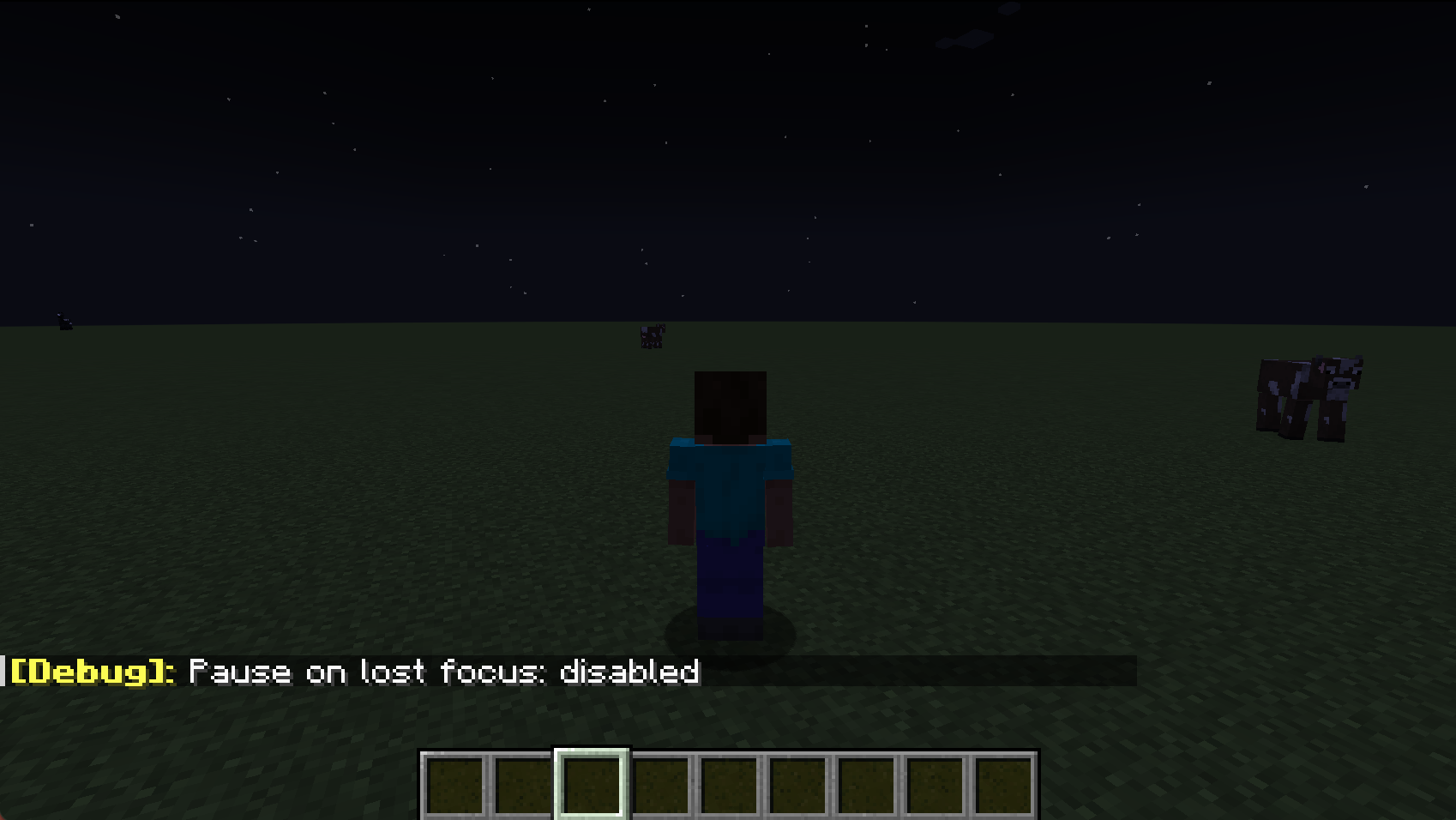
1. Use the F3+P Shortcut:
Press F3 + P together. This toggles the "Pause on Lost Focus" feature. Once turned off, you can switch to claude desktop and Minecraft will continue running without pausing.
2. Connection Issues on Claude Restart:
If you restart Claude while the Minecraft server is running, you may experience MCP connection issues on the next claude launch due to lingering java process. See Troubleshooting: MCP Connection Failed for resolution steps.
Installation Steps
1. Download and Setup Minecraft Server
2. Install and Configure MCP Integration
Quick Install (Recommended):
npx -y @smithery/cli install mcp-minecraft --client claudeFollow the CLI prompts to complete the setup.
Or Manual Setup:
{
     "mcpServers": {
       "mcp-minecraft": {
         "command": "npx",
         "args": [
           "-y",
           "mcp-minecraft@latest",
           "--server-jar",
           "/absolute/path/to/minecraft-server/server.jar"
         ]
       }
     }
   }
> ⚠️ Replace `/absolute/path/to/minecraft-server/server.jar` with your actual server.jar path
4. Launch Claude Desktop
5. Connect to Server
Features
Resources
The integration exposes these MCP resources:
- `minecraft://bot/location` - Current bot position in the world
- `minecraft://bot/status` - Bot connection status
Tools
Available MCP tools:
- `chat` - Send chat messages to the server
- `jump` - Make the bot jump
- `moveForward` - Make the bot move forward
- `moveBack` - Make the bot move backward
- `turnLeft` - Make the bot turn left
- `turnRight` - Make the bot turn right
- `placeBlock` - Place a block at specified coordinates
- `digBlock` - Break a block at specified coordinates
- `getBlockInfo` - Get information about a block at specified coordinates
- `selectSlot` - Select a hotbar slot (0-8)
- `getInventory` - Get contents of bot's inventory
- `equipItem` - Equip an item by name to specified destination
- `getStatus` - Get bot's current status (health, food, position, etc.)
- `getNearbyEntities` - Get list of nearby entities within range
- `attack` - Attack a nearby entity by name
- `useItem` - Use/activate the currently held item
- `stopUsingItem` - Stop using/deactivate the current item
- `lookAt` - Make the bot look at specific coordinates
- `followPlayer` - Follow a specific player
- `stopFollowing` - Stop following current target
- `goToPosition` - Navigate to specific coordinates
Technical Details
- Server runs in offline mode for local development
- Default memory allocation: 2GB
- Default port: 25565
- Bot username: MCPBot
Troubleshooting
Common Issues
1. MCP Connection Failed
2. Server Won't Start
3. Can't Connect to Server
Logs Location
- Minecraft Server logs: Check the minecraft-server directory
- Claude Desktop logs: `~/Library/Logs/Claude/mcp*.log`
Contributing
Contributions, big or small, are welcome!
License
This project is licensed under the MIT License - see the LICENSE file for details.
Frequently asked questions
What is mcp-minecraft?
mcp-minecraft is a Model Context Protocol (MCP) server listed in the TrackMCP directory.
How do I install mcp-minecraft?
Open the GitHub repository and follow its README. Most MCP servers are added to your client's MCP config, then called by your agent.
Is mcp-minecraft open source?
Yes — it is hosted on GitHub at https://github.com/arjunkmrm/mcp-minecraft and has 88 stars.
Related MCP tools
 mcp-remote
Connect an MCP Client that only supports local (stdio) servers to a Remote MCP Server, with auth support: TypeScript-based implementation.
 mcp-get
- Discover available MCP servers from our curated registry TypeScript-based implementation.
 cherry-studio
🍒 Cherry Studio is a desktop client that supports for multiple LLM providers. Built for the Model Context Protocol to enhance AI capabilities.
 librechat
Enhanced ChatGPT Clone: Features Agents, MCP, DeepSeek, Anthropic, AWS, OpenAI, Responses API, Azure, Groq, o1, GPT-5, Mistral, OpenRouter, Vertex AI, Gemini...
 fastgpt
FastGPT is a knowledge-based platform built on the LLMs, offers a comprehensive suite of out-of-the-box capabilities such as data processing, RAG retrieval, ...
 composio
Composio equips your AI agents & LLMs with 100+ high-quality integrations via function calling for the Model Context Protocol. Enhance AI assistants with powerf
Run your own MCP server? See who uses it and what to fix.
Measure it with TrackMCP