
mcp-log-proxy
a web logging proxy for MCP client-server communication
Documentation
mcp-log-proxy
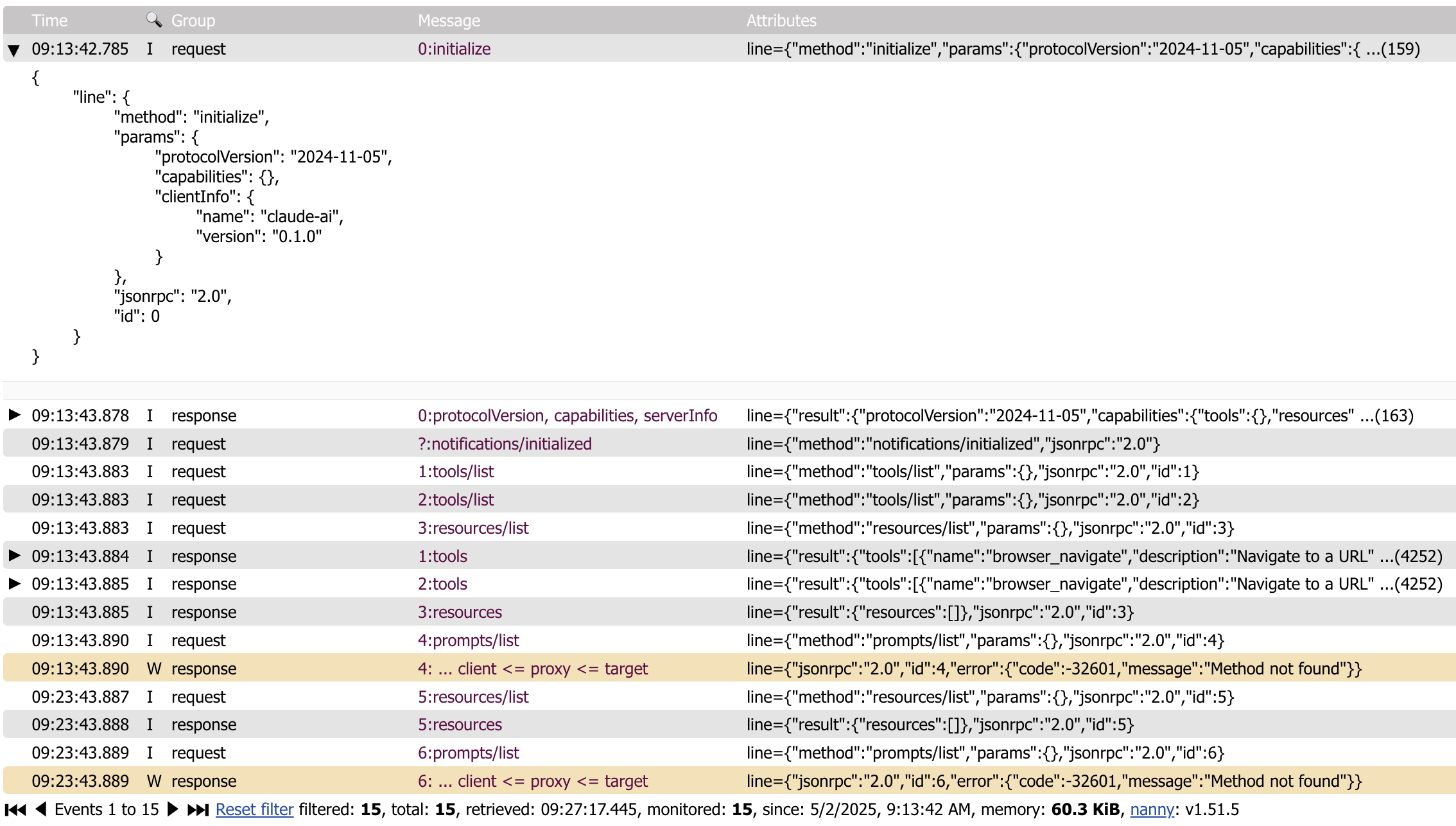
`mcp-log-proxy` can be used to see the messages to and from a MCP client and a MCP server using a Web interface.
Currently, it only supports the STDIO interface.
Multiple proxies
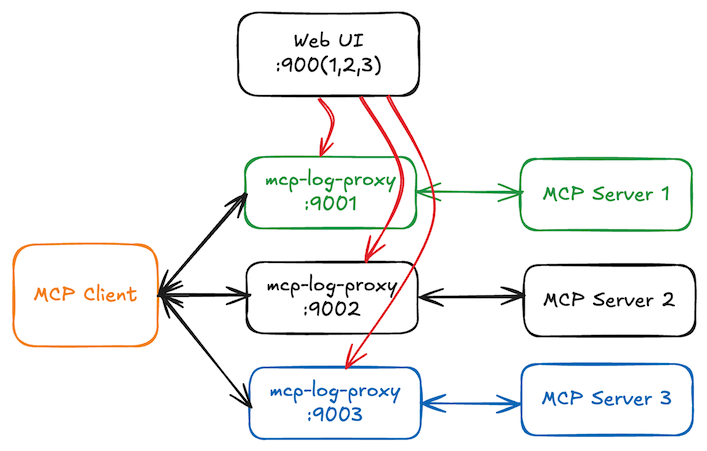
All running mcp-log-proxy processes will register themselves in `.mcp-log-proxy-instances.json` located in your home directory. On the web page, you can use the selector to switch to another proxy instance.
install
brew tap "emicklei/tap"and then
brew install emicklei/tap/mcp-log-proxyor via Go
go install github.com/emicklei/mcp-log-proxy@latestusage
`mcp-log-proxy` requires one argument `-command` that contains the full command line for starting the MCP server.
For example, to proxy traffic to the `melrose-mcp` server, the full command is:
mcp-log-proxy -command melrose-mcp
This example assumes that both tools are available on your execution PATH.
Once the proxy is started, messages can be viewed on `http://localhost:5656`.
optional flags
You can override the HTTP host address (default `localhost`) using the `host` flag, for example to listen on all interfaces or a specific interface address:
mcp-log-proxy -command melrose-mcp -host 0.0.0.0
mcp-log-proxy -command melrose-mcp -host 1.2.3.4
You can override the Web page title using the `title` flag:
mcp-log-proxy -command melrose-mcp -title "Melrōse (proxy)"
You can override the HTTP port(default 5656) using the `port` flag:
mcp-log-proxy -command melrose-mcp -port 9999
When running multiple proxies, the `mcp-log-proxy` will detect whether a HTTP port is taken and choose a different port instead. Using the Web UI you can select any of the other running proxies.
You can override the log file location of the proxy that captures errors in the proxy itself using the `log` flag:
mcp-log-proxy -command melrose-mcp -log /your/logs/mcp-log-proxy.log
Claude examples
This example proxies the use of the `melrose-mcp` server.
Locate the binaries to get the correct paths.
"melrōse": {
"command": "/Users/SOME-USER/go/bin/mcp-log-proxy",
"args": [
"-command",
"/Users/SOME-USER/go/bin/melrose-mcp -log /Users/SOME-USER/Library/Logs/claude-melrose.log",
"-log",
"/Users/SOME-USER/Library/Logs/claude-melrose-proxy.log",
"-port",
"7788",
"-title",
"Claude Melrose MCP"
]
},
Proxying the `browsermcp` server.
"browsermcp": {
"command": "/Users/SOME-USER/go/bin/mcp-log-proxy",
"args": [
"-command",
"npx @browsermcp/mcp@latest",
"-log",
"/Users/SOME-USER/Library/Logs/claude-browsermcp-proxy.log",
"-port",
"7799",
"-title",
"Claude Browser MCP"
]
}
Goose Example
This example proxies the use of the `melrose-mcp` server.
Locate the binaries to get the correct paths.
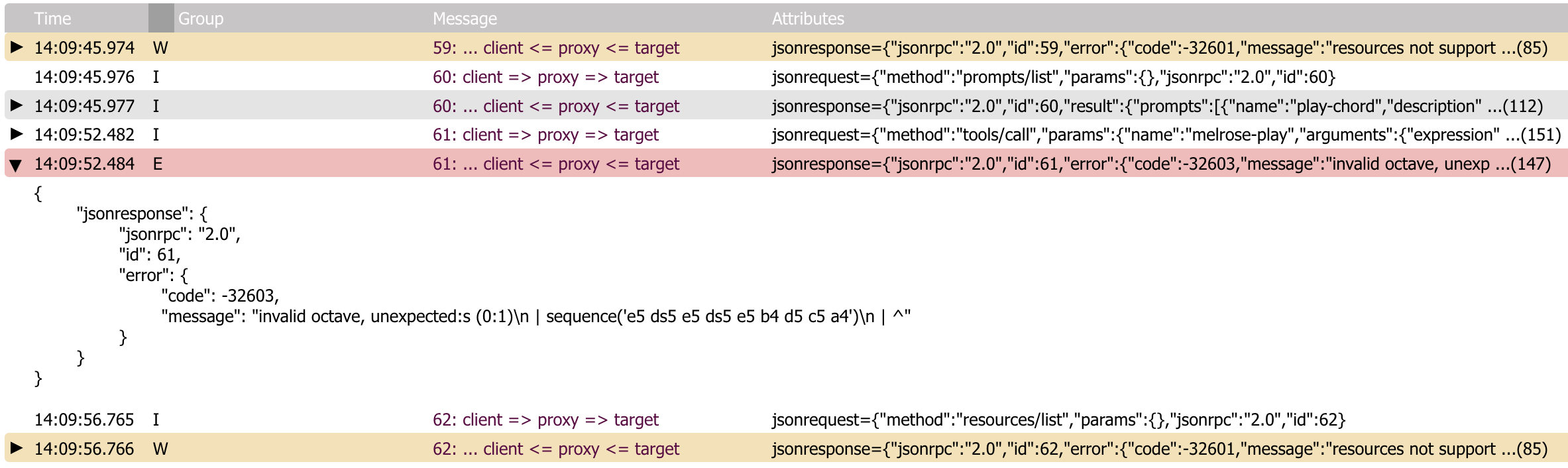
/Users/SOME-USER/go/bin/mcp-log-proxy -command /Users/SOME-USER/go/bin/melrose-mcp -log /Users/SOME-USER/Library/Logs/goose-melrose.log -port 8888 -title Melrose-MCPError information
© 2025, https://ernestmicklei.com. MIT License.
Frequently asked questions
What is mcp-log-proxy?
mcp-log-proxy is a web logging proxy for MCP client-server communication
How do I install mcp-log-proxy?
Open the GitHub repository and follow its README. Most MCP servers are added to your client's MCP config, then called by your agent.
Is mcp-log-proxy open source?
Yes — it is hosted on GitHub at https://github.com/emicklei/mcp-log-proxy and has 25 stars.
Related MCP tools
 toolhive
ToolHive makes deploying MCP servers easy, secure and fun Go-based implementation. Trusted by 1300+ developers. Trusted by 1300+ developers.
 MCPJungle
Self-hosted MCP Gateway and Registry for AI agents Go-based implementation. Trusted by 600+ developers. Trusted by 600+ developers.
 mcp-link
Convert Any OpenAPI V3 API to MCP Server Go-based implementation. Trusted by 500+ developers. Trusted by 500+ developers.
 mcp
mcpAWS MCP Servers — helping you get the most out of AWS, wherever you use MCP. Python-based implementation. Trusted by 6900+ developers.
 awesome-mcp-zh
MCP 资源精选, MCP指南,Claude MCP,MCP Servers, MCP Clients Trusted by 4800+ developers. Trusted by 4800+ developers. Trusted by 4800+ developers.
 minimax-mcp
Official MiniMax Model Context Protocol (MCP) server that enables interaction with powerful Text to Speech, image generation and video generation APIs.
Run your own MCP server? See who uses it and what to fix.
Measure it with TrackMCP