
mcp-llm-bridge
MCP implementation that enables communication between MCP servers and OpenAI-compatible LLMs Python-based implementation.
Documentation
MCP LLM Bridge
A bridge connecting Model Context Protocol (MCP) servers to OpenAI-compatible LLMs. Primary support for OpenAI API, with additional compatibility for local endpoints that implement the OpenAI API specification.
The implementation provides a bidirectional protocol translation layer between MCP and OpenAI's function-calling interface. It converts MCP tool specifications into OpenAI function schemas and handles the mapping of function invocations back to MCP tool executions. This enables any OpenAI-compatible language model to leverage MCP-compliant tools through a standardized interface, whether using cloud-based models or local implementations like Ollama.
Read more about MCP by Anthropic here:
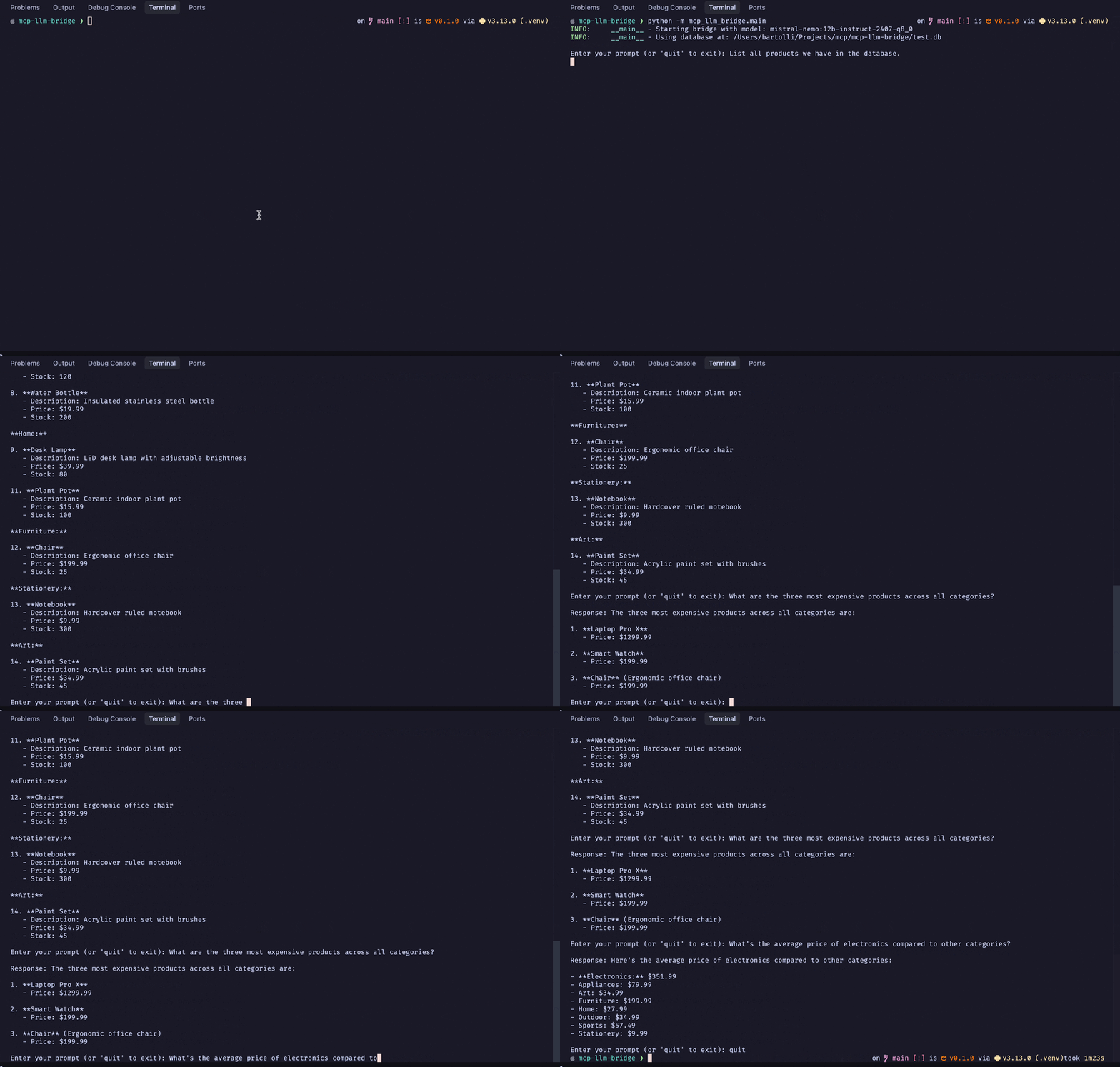
Demo:
Quick Start
# Install
curl -LsSf https://astral.sh/uv/install.sh | sh
git clone https://github.com/bartolli/mcp-llm-bridge.git
cd mcp-llm-bridge
uv venv
source .venv/bin/activate
uv pip install -e .

# Create test database
python -m mcp_llm_bridge.create_test_db
Configuration
OpenAI (Primary)
Create `.env`:
OPENAI_API_KEY=your_key
OPENAI_MODEL=gpt-4o # or any other OpenAI model that supports tools
Note: reactivate the environment if needed to use the keys in `.env`: `source .venv/bin/activate`
Then configure the bridge in src/mcp_llm_bridge/main.py
config = BridgeConfig(
    mcp_server_params=StdioServerParameters(
        command="uvx",
        args=["mcp-server-sqlite", "--db-path", "test.db"],
        env=None
    ),
    llm_config=LLMConfig(
        api_key=os.getenv("OPENAI_API_KEY"),
        model=os.getenv("OPENAI_MODEL", "gpt-4o"),
        base_url=None
    )
)
Additional Endpoint Support
The bridge also works with any endpoint implementing the OpenAI API specification:
Ollama
llm_config=LLMConfig(
    api_key="not-needed",
    model="mistral-nemo:12b-instruct-2407-q8_0",
    base_url="http://localhost:11434/v1"
)
Note: After testing various models, including `llama3.2:3b-instruct-fp16`, I found that `mistral-nemo:12b-instruct-2407-q8_0` handles complex queries more effectively.
LM Studio
llm_config=LLMConfig(
    api_key="not-needed",
    model="local-model",
    base_url="http://localhost:1234/v1"
)
I didn't test this, but it should work.
Usage
python -m mcp_llm_bridge.main

# Try: "What are the most expensive products in the database?"
# Exit with 'quit' or Ctrl+C
Running Tests
Install the package with test dependencies:
uv pip install -e ".[test]"Then run the tests:
python -m pytest -v tests/License
Contributing
PRs welcome.
Frequently asked questions
What is mcp-llm-bridge?
mcp-llm-bridge is MCP implementation that enables communication between MCP servers and OpenAI-compatible LLMs Python-based implementation.
How do I install mcp-llm-bridge?
Open the GitHub repository and follow its README. Most MCP servers are added to your client's MCP config, then called by your agent.
Is mcp-llm-bridge open source?
Yes — it is hosted on GitHub at https://github.com/bartolli/mcp-llm-bridge and has 335 stars.
Related MCP tools
 wcgw
wcgwShell and coding agent on claude desktop app for the Model Context Protocol. Enhance AI assistants with powerful integrations. Python-based implementation.
 vibetest-use
Vibetest MCP - automated QA testing using Browser-Use agents Python-based implementation. Trusted by 500+ developers. Trusted by 500+ developers.
 linkedin-mcp-server
This MCP server allows Claude and other AI assistants to access your LinkedIn. Scrape LinkedIn profiles and companies, get your recommended jobs, and perform...
 spotify-mcp
MCP to connect your LLM with Spotify. Python-based implementation. Trusted by 500+ developers. Trusted by 500+ developers.
 ida-mcp-server
A Model Context Protocol server for IDA Python-based implementation.
 web-agent-protocol
🌐Web Agent Protocol (WAP) - Record and replay user interactions in the browser with MCP support Python-based implementation.
Run your own MCP server? See who uses it and what to fix.
Measure it with TrackMCP