
bloodhound-mcp
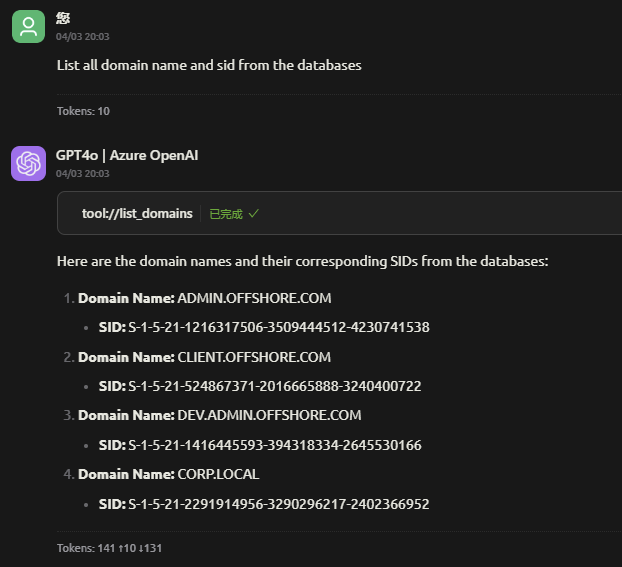
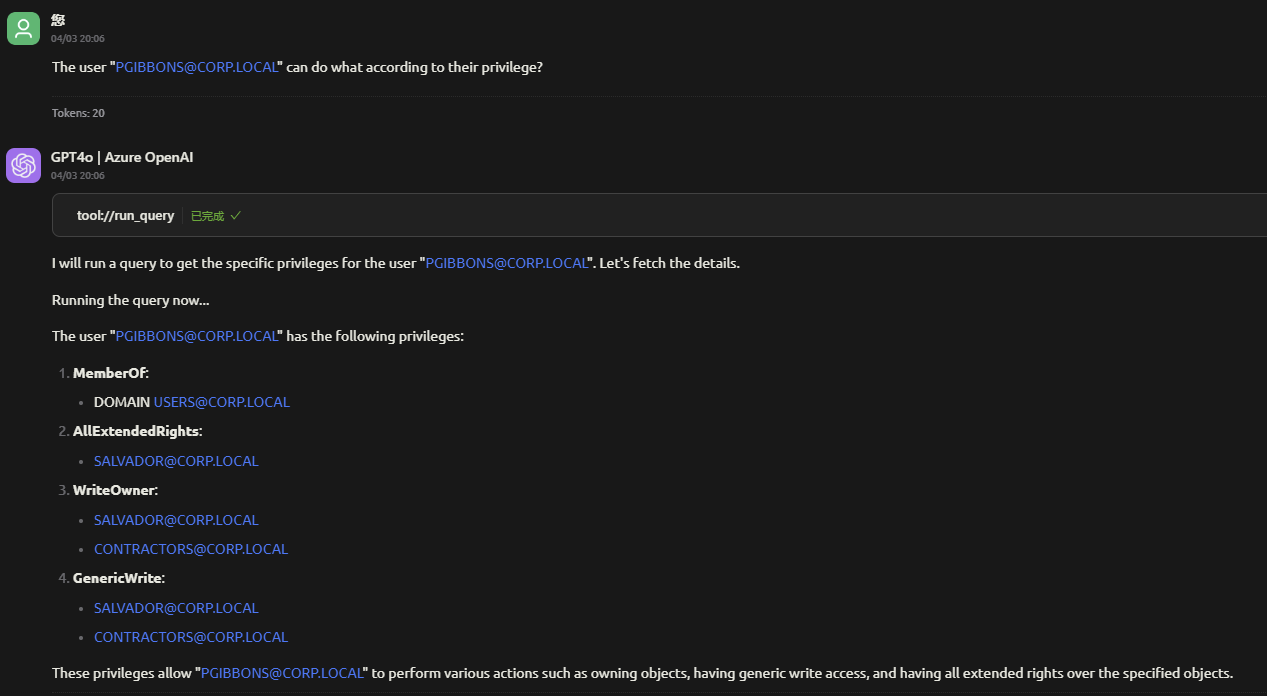
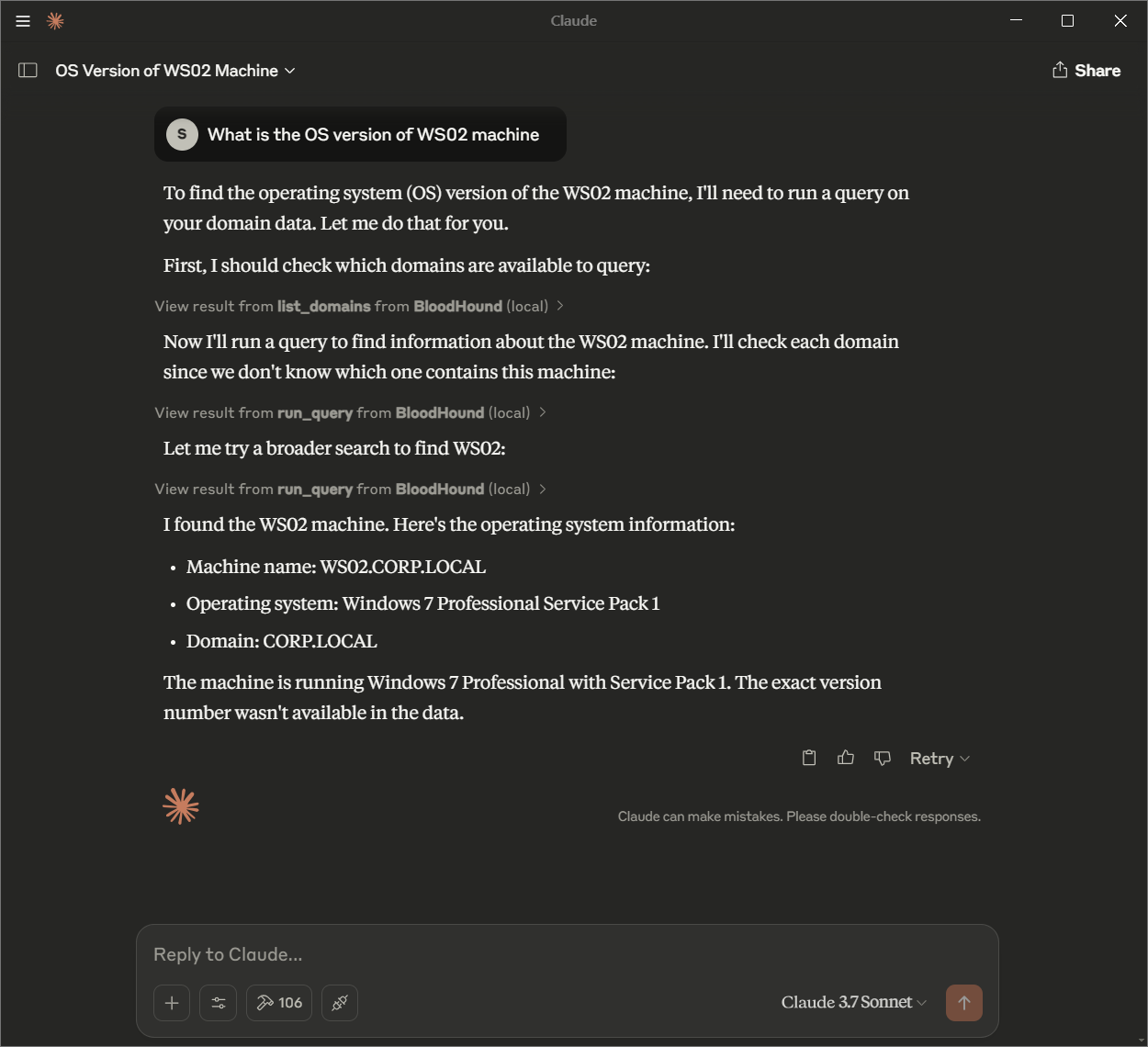
- Natural Language Queries: Use conversational language to query your AD/AAD environment without needing to write Cypher queries manually.
Documentation
BloodHound MCP
BloodHound MCP (Model Context Protocol) is an innovative extension of the BloodHound tool, designed to enable Large Language Models (LLMs) to interact with and analyze Active Directory (AD) and Azure Active Directory (AAD) environments through natural language queries. By leveraging the power of LLMs, BloodHound MCP allows users to perform complex queries and retrieve insights from their AD/AAD environments using simple, conversational commands.
Features
- Natural Language Queries: Use conversational language to query your AD/AAD environment without needing to write Cypher queries manually.
- LLM-Powered Analysis: Harness the capabilities of Large Language Models to interpret and execute queries on your behalf.
- Seamless Integration: Works with existing BloodHound data stored in Neo4j, providing a user-friendly interface for complex analysis.
- Customizable: Easily configure the system to work with your specific environment and tools.
Configure the MCP Server
{
  "mcpServers": {
    "BloodHound": {
      "name": "BloodHound",
      "isActive": true,
      "command": "uv",
      "args": [
        "run",
        "--with",
        "mcp[cli],neo4j",
        "mcp",
        "run",
        "server.py"
      ],
      "env": {
        "BLOODHOUND_URI": "bolt://localhost:7687",
        "BLOODHOUND_USERNAME": "neo4j",
        "BLOODHOUND_PASSWORD": "bloodhound"
      }
    }
  }
}
Usage
Configuration
To customize BloodHound MCP, update the configuration file in your MCP-supported tool. Key settings include:
- Neo4j Database Connection:
- Server Settings: Adjust the command and args to match your environment and tool requirements.
Contributing
We welcome contributions to BloodHound MCP! To get involved:
1. Fork the Repository: Create your own copy on GitHub.
2. Create a Branch: Work on your feature or fix in a new branch.
3. Submit a Pull Request: Include a clear description of your changes.
Special Thanks
Custom queries from : https://github.com/CompassSecurity/BloodHoundQueries
Frequently asked questions
What is bloodhound-mcp?
bloodhound-mcp is - Natural Language Queries: Use conversational language to query your AD/AAD environment without needing to write Cypher queries manually.
How do I install bloodhound-mcp?
Open the GitHub repository and follow its README. Most MCP servers are added to your client's MCP config, then called by your agent.
Is bloodhound-mcp open source?
Yes — it is hosted on GitHub at https://github.com/stevenyu113228/bloodhound-mcp and has 153 stars.
Related MCP tools
 mem0-mcp
5. Update .env file in the root directory with your mem0 API key: for the Model Context Protocol. Enhance AI assistants with powerful integrations.
 a-share-mcp-is-just-i-need
Model Context Protocol integration for Python. Enhance AI assistants with powerful Python-based capabilities and integration support.
 mcp-security
This repository contains Model Context Protocol (MCP) servers that enable MCP clients (like Claude Desktop or the cline.
 bloodhound-mcp-ai
BloodHound-MCP-AI is integration that connects BloodHound with AI through Model Context Protocol, allowing security professionals to analyze Active Directory...
 alpaca-mcp-server
Alpaca’s official MCP server lets you trade stocks, ETFs, crypto, and options, run data analysis, and build strategies in plain English directly from your fa...
 automcp
Easily convert tool, agents and orchestrators from existing agent frameworks to MCP servers Python-based implementation.
Run your own MCP server? See who uses it and what to fix.
Measure it with TrackMCP