
EPSS-MCP
MultiStep MCP That Returns CVE Information With EPSS Score
Documentation
EPSS MCP Project
The EPSS MCP Project is a powerful server designed to retrieve CVE details from the NVD API and fetch EPSS scores from the EPSS server. It provides users with comprehensive vulnerability information, including CVE descriptions, CWEs, CVSS scores, and EPSS percentiles, all in one place.
Features
- Comprehensive CVE Information: Fetch detailed vulnerability data, including descriptions, CWEs, and CVSS scores, directly from the NVD API.
- EPSS Integration: Retrieve EPSS scores and percentiles to assess the likelihood of exploitation for specific vulnerabilities.
- MCP Server: Serve data through a robust and extensible MCP server for seamless integration with other tools.
- Docker Support: Easily deploy the server using Docker for a consistent and portable runtime environment.
- VS Code Compatibility: Integrate with VS Code MCP for enhanced developer workflows and real-time vulnerability insights.
Prerequisites
- Python 3.13 or higher
- Docker (optional, for containerized deployment)
- An NVD API key (add it to the `.env` file as `NVD_API_KEY`)
Setup Instructions
1. Clone the Repository
git clone
cd epss-mcp-project
2. Install Dependencies
It is recommended to use a virtual environment. You can create one using `venv` or `conda`. Then, install the required packages:
pip install -r requirements.txt3. Add Your NVD API Key
Create a `.env` file in the project root and add your NVD API key:
NVD_API_KEY=your-nvd-api-keyUsage
Installing via Smithery
To install EPSS Vulnerability Scoring Server for Claude Desktop automatically via Smithery:
npx -y @smithery/cli install @jgamblin/EPSS-MCP --client claudeRunning the MCP Server Locally
To start the MCP server locally, run:
python epss_mcp.pyOnce the server is running, you can make requests to retrieve CVE details by specifying the CVE ID.
Example Request
To get details for a specific CVE, use the following format:
GET /cve/Replace `` with the actual CVE identifier (e.g., `CVE-2022-1234`).
Docker Deployment (for Open-WebUI)
If you want to run the MCP server in Open-WebUI, follow these steps:
1. Build the Docker Image
To build the Docker container, run:
docker build -t epss_mcp .2. Run the Docker Container
Run the container and expose it on port `8000`:
docker run -p 8000:8000 epss_mcpThe MCP server will now be accessible at `http://localhost:8000`.
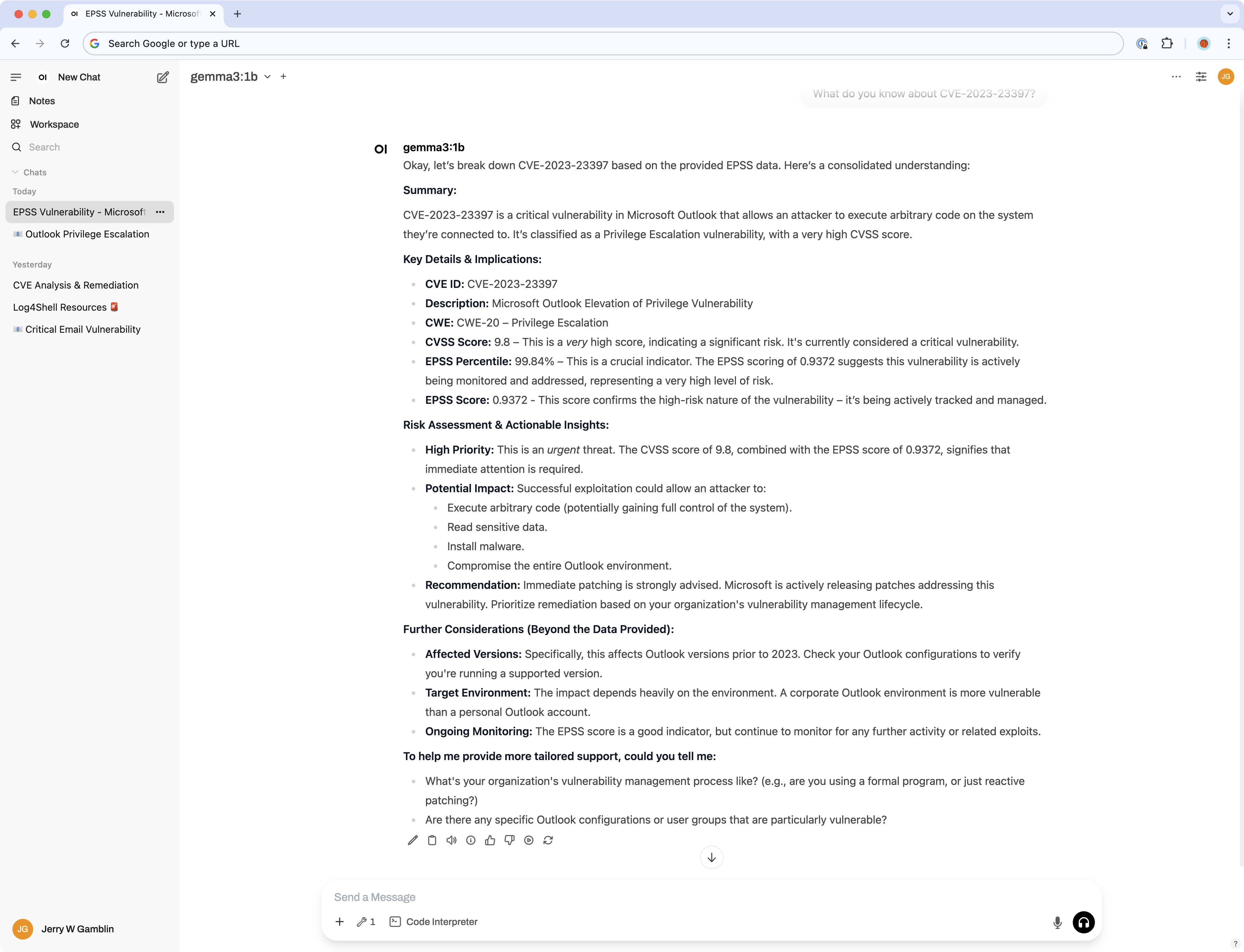
WebUI Screenshot
Below is a screenshot of the MCP server running in the Open-WebUI:
Suggested System Prompt for WebUI
When using the MCP server in Open-WebUI, you can configure the following system prompt to guide interactions:
You are a specialized AI Assistant focused on the Exploit Prediction Scoring System (EPSS). Your expertise lies in delivering and interpreting EPSS data, which includes daily updated probability scores (0-1) and percentiles for Common Vulnerabilities and Exposures (CVEs), indicating the likelihood of their exploitation in the wild within the next 30 days. You are to help cybersecurity professionals understand these predictions, compare them with other metrics like CVSS scores, and use this information to prioritize vulnerability remediation efforts effectively. Provide actionable, data-driven insights in a clear, technically accurate, professional, and solution-oriented manner.Serving to VS Code MCP
To serve the MCP server to VS Code MCP, follow these steps:
1. Add the Local Server to VS Code:
Open your VS Code `settings.json` file and add the following configuration to register the local server:
"mcp.servers": {
       "EPSS_MCP": {
           "type": "stdio",
           "command": "python",
           "args": [
               "/Github/EPSS-MCP/epss_mcp.py"
           ]
       }
}Note: Make sure to update the `args` path to match the location of the `epss_mcp.py` file on your local machine.
2. Connect to VS Code:
3. Start Using the MCP Server:
Once connected, VS Code will call the Python file directly to fetch CVE details and EPSS scores.
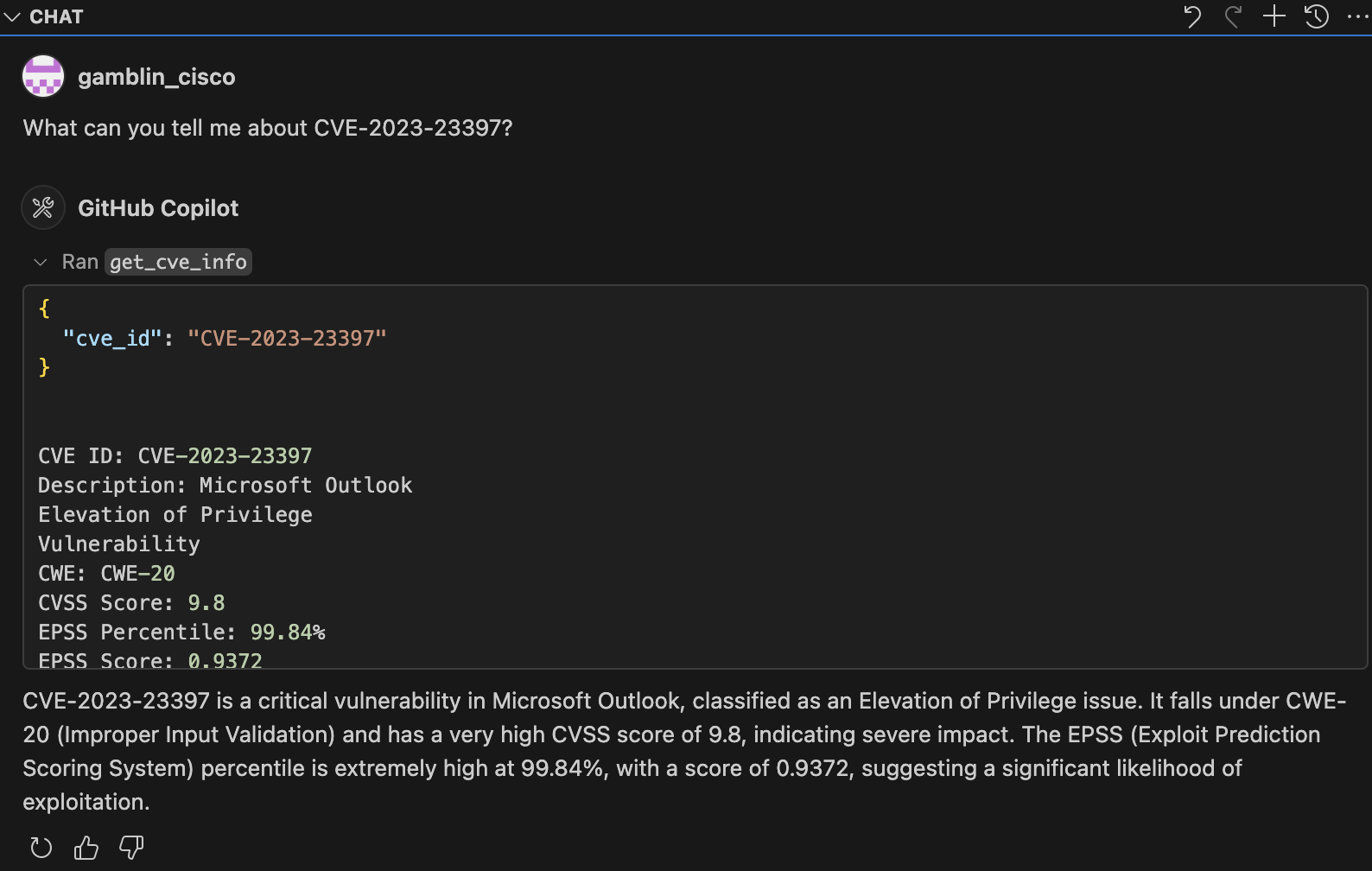
VS Code Screenshot
Below is a screenshot of the MCP server integrated with VS Code:
Project Structure
epss-mcp-project
├── epss_mcp.py               # Main entry point for the MCP server
├── nvd_api.py                # Functions to interact with the NVD API
├── epss_api.py               # Functions to interact with the EPSS API
├── epss_mcp_test.py          # Test script for the MCP server
├── requirements.txt          # Project dependencies
├── Dockerfile                # Docker configuration
├── .env                      # Environment variables (e.g., API keys)
└── README.md                 # Project documentation
Contributing
Contributions are welcome! Please feel free to submit a pull request or open an issue for any enhancements or bug fixes.
License
This project is licensed under the MIT License. See the LICENSE file for more details.
Frequently asked questions
What is EPSS-MCP?
EPSS-MCP is MultiStep MCP That Returns CVE Information With EPSS Score
How do I install EPSS-MCP?
Open the GitHub repository and follow its README. Most MCP servers are added to your client's MCP config, then called by your agent.
Is EPSS-MCP open source?
Yes — it is hosted on GitHub at https://github.com/jgamblin/epss-mcp and has 11 stars.
Related MCP tools
 openhands
🙌 OpenHands: Code Less, Make More for the Model Context Protocol. Enhance AI assistants with powerful integrations. Python-based implementation.
 mem0
mem0Universal memory layer for AI Agents; Announcing OpenMemory MCP - local and secure memory management. Python-based implementation.
 chatgpt-on-wechat
基于大模型搭建的聊天机器人,同时支持 微信公众号、企业微信应用、飞书、钉钉 等接入,可选择ChatGPT/Claude/DeepSeek/文心一言/讯飞星火/通义千问/ Gemini/GLM-4/Kimi/LinkAI,能处理文本、语音和图片,访问操作系统和互联网,支持基于自有知识库进行定制企业智能客服。
 gpt-researcher
An LLM agent that conducts deep research (local and web) on any given topic and generates a long report with citations. Built for the Model Context Protocol to
 fastmcp
🚀 The fast, Pythonic way to build MCP servers and clients Trusted by 19900+ developers. Trusted by 19900+ developers. Trusted by 19900+ developers.
 maxkb
maxkb🔥 MaxKB is an open-source platform for building enterprise-grade agents. MaxKB 是强大易用的开源企业级智能体平台。 for the Model Context Protocol. Enhance AI assistants with po
Run your own MCP server? See who uses it and what to fix.
Measure it with TrackMCP